
On-Premise Data Annotation Platform: A Guide for Regulated Teams
Choosing an on-premise data annotation platform: why teams self-host, requirements, a security checklist, and how Supervisely, CVAT and Kili compare.

- appLabeling and review
- dbDatabase
- gpuOptional agent
Raw images, video, scans and labels never have to leave your network.
An on-premise data annotation platform is labeling software that runs on servers you control, so raw images, video, scans and labels never have to leave your network. Teams choose it for privacy rules, contracts and data size. Supervisely Enterprise, CVAT and Kili all offer a self-hosted route, with different trade-offs.
Supervisely Enterprise runs on a bare-metal server, a cloud instance such as AWS EC2, or even a laptop.
Images, video, 3D point clouds and DICOM on one platform, with sign-in through LDAP and OpenID Connect.
If you already know you need it, go straight to the Supervisely Enterprise page or the security overview. If you are still deciding, read on.
Why do teams run annotation on-premise?
Most teams start with a cloud tool. They move on-premise when the data is no longer allowed, or no longer practical, to upload.
The common reasons:
- Regulated data. Medical scans, patient video and personal images fall under rules such as HIPAA and GDPR. Keeping them on infrastructure you control makes access reviews and audits simpler. See our guide to DICOM labeling.
- Contracts and IP. Customers in defense, manufacturing and automotive often forbid sending footage or designs to a third party.
- Data size. Hours of video, LiDAR sequences and whole-slide images are slow to upload and expensive to copy.
- Identity control. Large companies want annotators to sign in through the corporate directory, not a separate account.
- Integration. Labels often feed training pipelines that already run in the same network.
On-premise is not free of cost. You own the servers, the upgrades and the backups.
If your data can legally go to the cloud, a hosted tool is less work. Supervisely also runs as a cloud service, so you can start there and move later. The pricing page lists the Community, Pro and Enterprise editions.
What requirements should you check before you choose?
Write these down before you talk to any vendor. They decide which tools stay on your list.
| Question | Why it matters |
|---|---|
| Which OS and kernel does the server need? | Your IT team may only support one Linux distribution. |
| CPU, RAM and SSD sizing | Video and large images need more than the minimum. |
| Is a GPU required, and where does it run? | AI-assisted labeling and model training need one; plain annotation does not. |
| Which ports must be open? | Firewall changes take weeks in some companies. |
| Does installation need internet access? | Decides whether a fully disconnected network is possible. |
| How do users sign in? | SSO, LDAP or OpenID support saves manual account work. |
| Where are files and the database stored? | Network shares can slow the system down. |
| How do upgrades and licenses work? | You will do this every few months. |
What does Supervisely Enterprise require?
The installation guide in the Supervisely docs lists the following:
- OS: Linux with kernel 5.15 or newer. Ubuntu 22.04 LTS or later is recommended. Other distributions can be installed manually but are not supported.
- Minimum hardware: 4 CPUs, 8 GB RAM, 100 GB SSD.
- Recommended hardware: 8 CPUs, 32 GB RAM, 200 GB SSD. For video, 8 or more CPUs, 32 GB or more RAM, and cloud storage on top of the SSD.
- GPU (only for the Smart Tool and neural networks): 8 GB of GPU memory or more, NVIDIA driver 535 or newer (570.26 or newer recommended) and the NVIDIA Container Toolkit. GPU work can run on a separate machine through an agent.
- Ports: HTTP on port 80 by default, WireGuard between the server and apps on 51822/UDP by default, and port 443 if built-in HTTPS is on.
- Storage: Use SSD for the OS, Docker data and the database folder. Do not point the data folder at a network share. Mount only its
storagesubfolder as a share.
| Minimum | Recommended | |
|---|---|---|
| CPU | 4 | 8 |
| RAM | 8 GB | 32 GB |
| SSD | 100 GB | 200 GB |
- 80HTTPby default
- 443HTTPSif built-in HTTPS is on
- 51822/UDPWireGuardserver and apps, by default
storage- 8 GB+GPU memory
- 535+NVIDIA driver
- toolkitNVIDIA Container Toolkit
On AWS, the docs list one m5.2xlarge instance for the platform and one p2.xlarge for the neural network module.
What do CVAT and Kili document?
CVAT's installation page lists Ubuntu 22.04 and 20.04 on x86_64, Windows 10 through WSL2, and macOS, all started with docker compose up -d.
It gives no CPU or RAM sizing. It says Google Chrome is the only supported browser, and that CVAT by default needs at least 10% free disk space.
CVAT also documents a Helm chart for Kubernetes, marked as relevant to both Community and Enterprise.
Kili's deployment options page lists three modes:
- its managed cloud,
- its cloud with your files in your own S3, Azure Blob or Google Cloud Storage bucket,
- a full install on your own Kubernetes cluster.
It states that on-premise installation needs internet and root access during setup, and neither afterwards.
What are the deployment options?
There are four common patterns. They are not specific to one vendor.
- Bare-metal server or VM in your data center. Full control. You manage hardware and patching. Supervisely says Enterprise can be installed on a bare-metal server, a cloud instance such as AWS EC2, or even a laptop, as stated on the Enterprise page.
- Your own cloud account (private cloud). The platform runs in your AWS, Azure or Google Cloud project. Data stays in your account, and you reuse your cloud security controls.
- Kubernetes. Fits teams that already run clusters. Supervisely says it is built with Docker and deploys well in container systems like Kubernetes, or can be installed and updated with its command line tool. CVAT and Kili both document Kubernetes installs.
- Hybrid: hosted application, your own storage. The vendor runs the tool and your files stay in your bucket. Kili documents this mode. It reduces what leaves your network, but the application is still hosted by someone else, so check whether that meets your rule.
Supervisely Enterprise vs CVAT vs Kili: how do they compare?
| Supervisely Enterprise | CVAT | Kili | |
|---|---|---|---|
| Self-hosted option | Yes, Enterprise Edition | Community on your own machine; Enterprise "on-premises or in your private cloud" per its pricing page | Yes, on your own Kubernetes |
| How it installs | Docker and the supervisely CLI; Kubernetes possible | Docker Compose or Helm | Kubernetes |
| Internet at install time | Installer pulls from the Supervisely registry. The pricing, Enterprise and security pages describe a fully offline / air-gapped Enterprise option, and the docs describe an offline mode for a running instance; the install docs do not yet spell out a disconnected install, so ask us if you need one | Pulls source and images from GitHub and Docker Hub; docs do not mention offline | Required during installation, not afterwards |
| Sign-in | LDAP and OpenID Connect (Microsoft Entra ID, Okta) on the security and Enterprise pages | SSO listed for annual plans on its pricing page | Not covered on the page we read |
| Compliance statements | Controls for GDPR and HIPAA requirements on the security page; HIPAA support on the pricing page | GDPR, CCPA and EU AI Act badges on its pricing page | ISO 27001:2022, SOC 2 Type II, HIPAA and GDPR on its deployment page |
| Free way to test | Free cloud Community Edition; Enterprise trial of 30 days or more on request | Free plan on CVAT Online; CVAT Community on GitHub | Free 14-day evaluation, no credit card |
Each cell summarizes the vendor's own pages as we read them in November 2026. Verify them when you shortlist.
When is CVAT the better pick?
Pick CVAT when you have DevOps staff, a budget close to zero, and mostly boxes, polygons and tracking.
CVAT Community starts with a single docker compose up -d, and its code is on GitHub. Supervisely does not beat that simplicity.
For what basic labeling needs, see our guide to bounding box annotation.
When is Kili the better pick?
Pick Kili when your procurement requires certification documents. Kili states ISO 27001:2022 and SOC 2 Type II on its deployment page.
The Supervisely site describes HIPAA support and controls for GDPR and HIPAA requirements. It does not state SOC 2 or ISO 27001, so we do not claim them.
If an auditor needs those reports by name, Kili has the stronger public statement today. If you want to know what Supervisely can provide, ask through the contact form.
When does Supervisely Enterprise fit?
It fits when you label more than boxes. One platform covers images, video, 3D point clouds and DICOM medical imaging, plus model training and an app ecosystem on the same server.
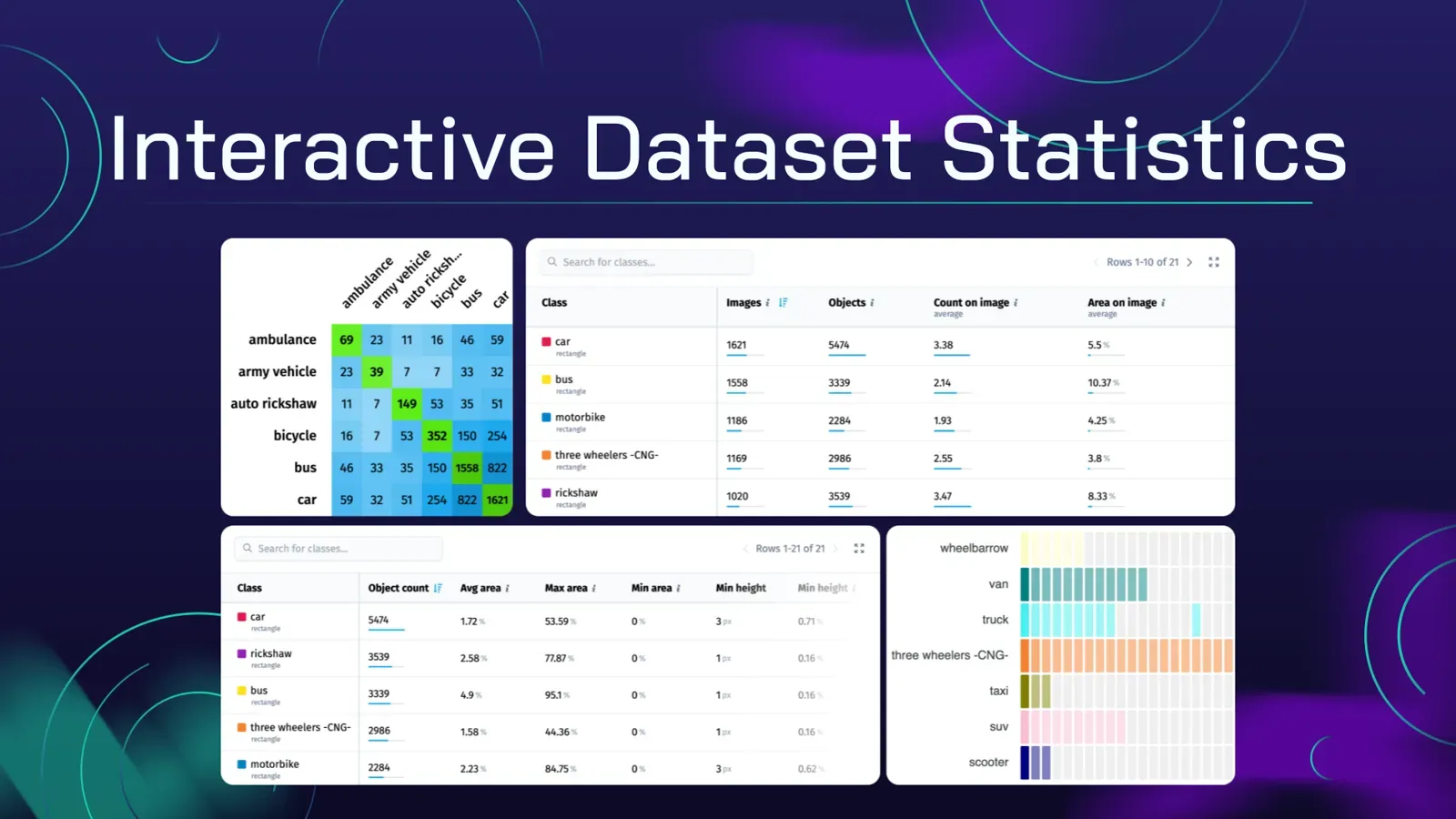
It also fits when you need team workflows such as labeling jobs, review and quality statistics.
It does not fit a team with no Linux admin and a few thousand images. Use the free cloud edition or CVAT instead.
What is the security and compliance checklist?
Use this list in a vendor review. It applies to any platform.
- Network. Which ports are open, and in which direction? Does the tool call out to the internet after installation?
- Authentication. Can you enforce corporate SSO and turn off local passwords? Supervisely's post-installation guide describes OpenID and LDAP, and an option that disables the native login so only LDAP or OpenID works.
- Default accounts. Change default passwords on day one. The Supervisely docs say the first login is
admin/adminand strongly recommend changing it. - Encryption in transit. HTTPS is off by default in Supervisely Enterprise. Enable it with Let's Encrypt on a public address, or supply your own
.pemcertificates on a private network. - Roles. Annotators should not export data or run maintenance scripts. Strict role limits are a requirement in some regulations like HIPAA, as the security page explains.
- Storage location. Know where files, the database and backups live. Keep the database on SSD, not a network share.
- Backups and upgrades. Plan both. The Supervisely post-installation page does not cover backups, so write your own procedure.
- External calls from AI features. AI-assisted tools may call external services. Ask which features need internet.
- Audit documents. List the documents your auditors need and ask each vendor to provide them.
- Offboarding. Confirm how you export data and labels if you leave.
How does Supervisely Enterprise install on-premise?
The steps below come from the Supervisely installation docs.
- Get your license key. Supervisely sends a key and an install command. Ask for the free trial (30 days or more, per the Enterprise page) if you are evaluating.
- Install prerequisites. Run
sudo supervisely install-all. It installs Docker CE and Docker Compose, and offers to install the NVIDIA driver if the server has a GPU. The machine reboots if the driver is installed. - Initialize. Run
sudo supervisely init "<your license key>". Choose a config location. The default is/opt/supervisely. - Wait. The CLI downloads compose files, logs into the Supervisely Docker registry, pulls and runs the containers, initializes the database with sample data, installs the license and deploys the default agent. The Enterprise page says this usually takes from minutes up to an hour.
- Sign in and harden. Open the server address, sign in, change the default password and work through the checklist above.
- Step 01sudo supervisely install-allDocker CE and Docker Compose; the NVIDIA driver if the server has a GPU
- Step 02sudo supervisely init "<license key>"Config in /opt/supervisely by default
- Step 03WaitCompose files, registry login, pull and run containers, database with sample data, license, default agentminutes up to an hour
- Step 04Sign in and hardenChange the default password, then work through the checklist
To change settings later, edit the .env file in the work directory and run sudo supervisely up -d.
More compute, for example a GPU machine, connects as an agent. See the docs on connecting agents.
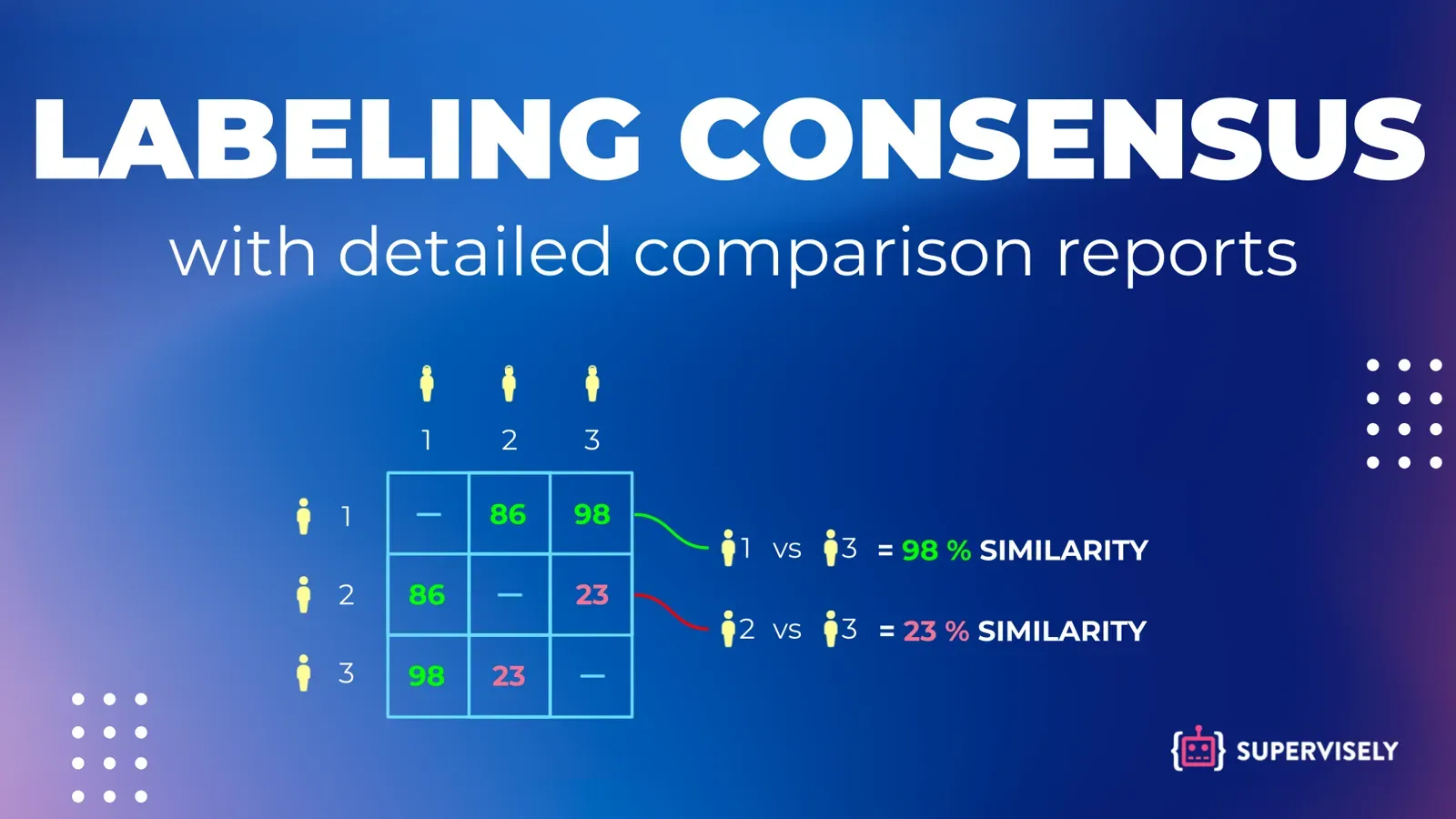
After install, your team works in the browser. The Enterprise page says hundreds of people can use one instance. For team workflows, see labeling consensus and data versioning.
How do you evaluate a platform in two weeks?
- Write your requirements from the table above.
- Ask each vendor for the install guide and a trial license.
- Install on a test VM with your real network rules. Time it.
- Import a small sample of your own data, including one hard file such as a long video or a large scan.
- Run the full loop: create a labeling job, label, review, export.
- Test sign-in through your directory.
- Review the security checklist with your security team.
- Compare notes. Pick the tool that both your admins and your annotators accept.
Next step
To see the on-premise edition on your own hardware, book a demo and trial or read the Enterprise page first.
FAQ
What is an on-premise data annotation platform?
It is annotation software that you install and run on your own servers or in your own cloud account, so images, video, point clouds and labels stay inside your infrastructure. You control access, storage and updates.
Is an on-premise annotation tool the same as an air-gapped one?
No. On-premise means you host it. Air-gapped means the system has no connection to outside networks at all. Most installers still pull software from a vendor registry, so ask each vendor how a fully disconnected install works before you assume it does.
What hardware does Supervisely Enterprise need?
According to the Supervisely installation docs, the minimum is 4 CPUs, 8 GB RAM and a 100 GB SSD on Linux with kernel 5.15 or newer. A GPU with 8 GB or more memory is needed only for the Smart Tool and neural networks.
Can I use CVAT instead of a commercial platform?
Yes. CVAT Community can be self-hosted with Docker Compose or a Helm chart, which suits teams with in-house DevOps and simple workflows. Commercial platforms add vendor support, SSO options and managed upgrades.
Which compliance claims does Supervisely make?
The Supervisely security page says the platform gives you the controls GDPR and HIPAA call for (self-hosted or offline data, roles, single sign-on, an activity log and DICOM anonymization) and supports sign-in with LDAP and OpenID Connect providers such as Microsoft Entra ID and Okta. Ask for the documents your auditors need.
Can I try an on-premise install before buying?
Supervisely says every Enterprise customer gets a free trial of 30 days or more; you request it through the contact form. You can also start with the free cloud Community Edition, with no credit card, to test the annotation tools first.