
Segment Anything in High Quality (HQ-SAM) vs SAM: Tutorial
 Max Kolomeychenko
HQ-SAM keeps SAM's weights but predicts sharper masks on thin and complex objects. See side-by-side results and how to run both models in Supervisely.
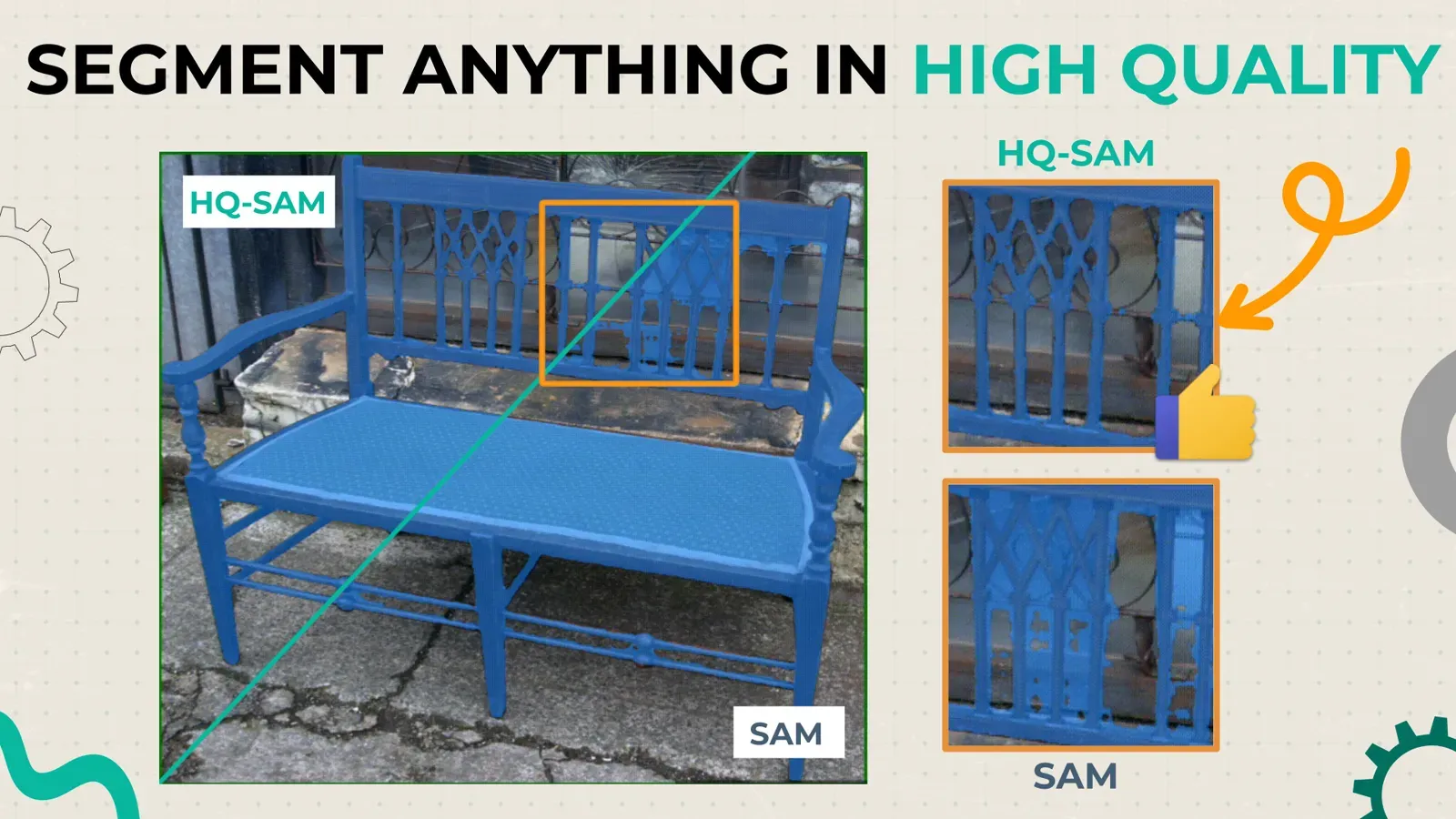
Segment Anything in High Quality (HQ-SAM) is an upgraded version of the Segment Anything Model (SAM) that predicts more accurate masks for objects with complex shapes. It reuses SAM's pre-trained weights and adds minimal parameters to the mask decoder. This guide shows how to run both models in the Supervisely image annotation toolbox and compares their masks.
SAM can segment any object in any image using prompts such as points, boxes and masks. Although it was trained on more than 1 billion masks (SA-1B), its masks often lack precision on objects with intricate structures. That matters for annotation of custom training datasets, and for robotics, AR/VR and image or video editing. HQ-SAM is available in the Supervisely Ecosystem, so you can use it in custom annotation pipelines.

Serve Segment Anything in High Quality
Run HQ-SAM and then use in labeling tool
Below, we run both SAM and HQ-SAM in the labeling toolbox in a few clicks and compare them on hard-to-segment edge cases. Both models work through the Smart Tool; our Smart Tool guide explains it in detail.
How do you run HQ-SAM and SAM step by step?
Check out the video step-by-step guide on how to deploy and use models in Supervisely Computer Vision Platform. We encourage you to try both versions of Segment Anything model on your data in our free Community Edition.
Follow the steps:
-
Connect your computer with GPU using this 90 seconds video guide. This is a one-time procedure, if you already connected your computer, just skip this step.
-
Segment Anything (SAM) and Segment Anything in High Quality (HQ-SAM) models are integrated in the form of Supervisely Apps. Just press the "Run" button to start them on the GPU computer connected to your account.
-
Select the SmartTool in the image labeling toolbox, put the bounding box around the object of interest and correct predictions with 🟢 positive and 🔴 negative clicks.
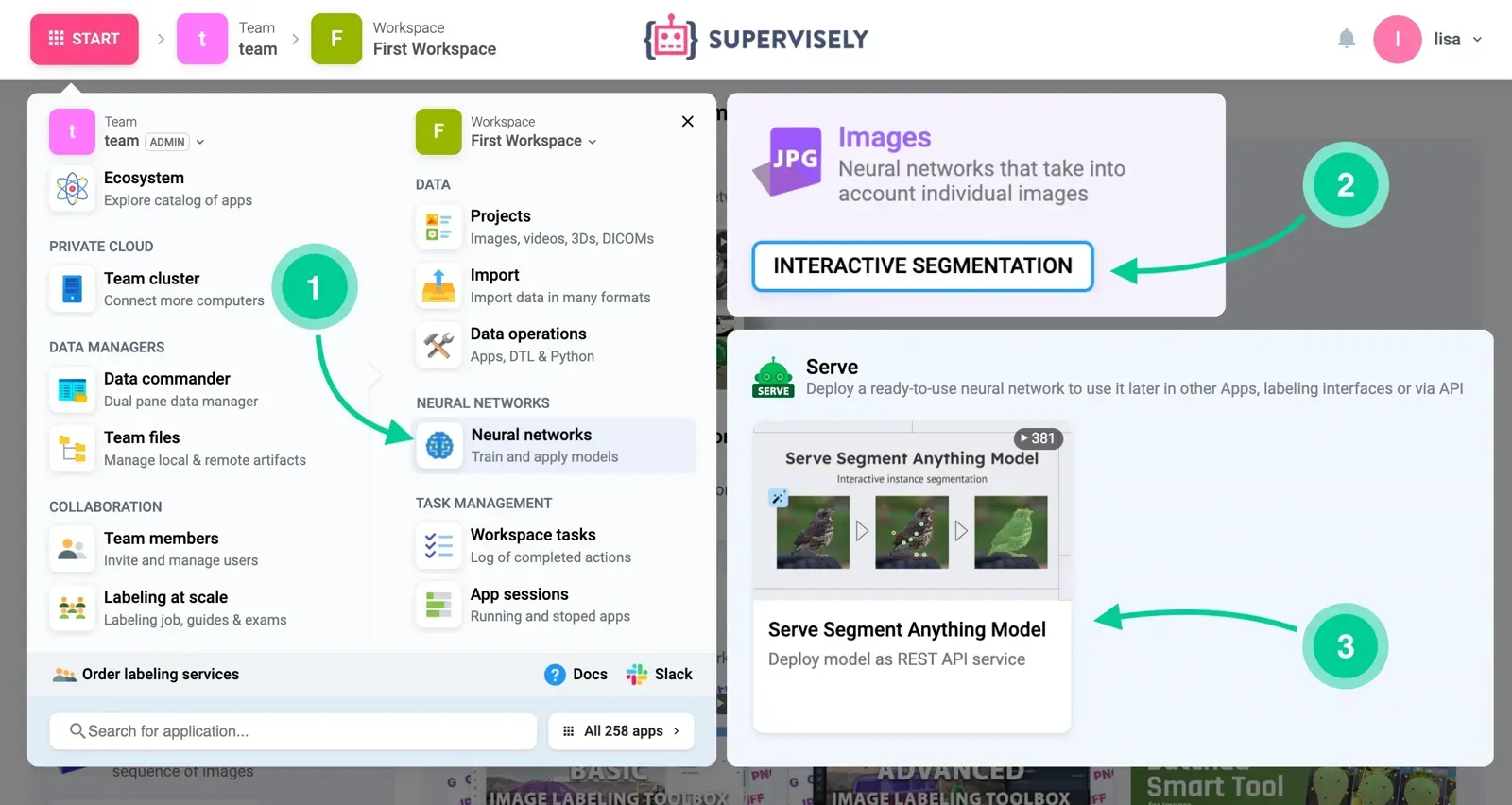 Go to Start → Neural Network → Interactive Segmentation.
What is the Segment Anything Model (SAM)?
Segment Anything model (SAM) is a foundation vision model for general image segmentation that segments a wide range of objects, parts, and visual structures in diverse scenarios, by taking a prompt consisting of points, a bounding box, or a coarse mask as input. It also can work in zero-shot segmentation scenarios when the model takes the images and predicts the masks for objects without specifying the exact class name for them. The model was introduced by Meta AI and trained on SA-1B, a dataset of over 1 billion masks on 11 million images.
What is Segment Anything in High Quality (HQ-SAM)?
Segment Anything in High Quality model (HQ-SAM) is an extension of the original Segment Anything model which predicts more accurate object segmentation and reuses the pre-trained model weights of SAM, while only introducing minimal additional parameters injected into SAM’s mask decoder. It was released by researchers at ETH Zürich and HKUST (paper). The authors compose a dataset of 44K fine-grained masks from several sources and trained the model in about 4 hours on 8 GPUs.
HQ-SAM was evaluated on 9 diverse segmentation datasets across different downstream tasks, where 7 out of them are evaluated in a zero-shot transfer protocol. The authors say it adds only minimal computation to SAM.
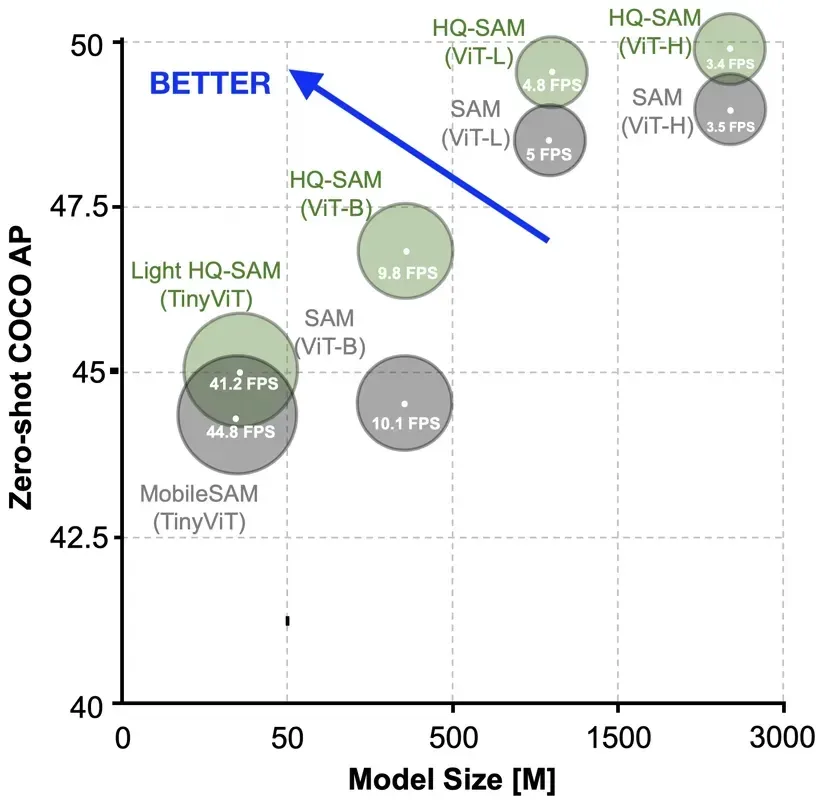 HQ-SAM outperforms SAM on zero-shot coco
According to the authors' benchmarks, HQ-SAM produces more accurate masks than default SAM with the same number of clicks.
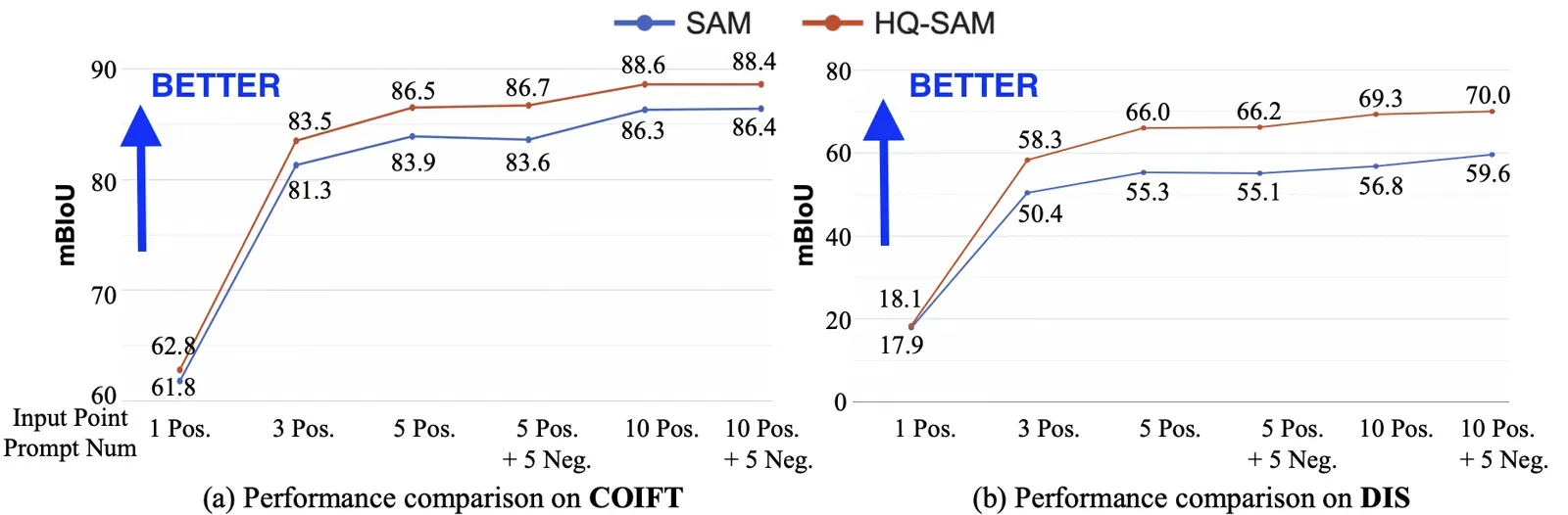 More precise masks with the same number of clicks
HQ-SAM vs SAM: how do the predictions compare?
| SAM | HQ-SAM | |
|---|---|---|
| Made by | Meta AI | ETH Zürich and HKUST |
| Training data | Over 1 billion masks (SA-1B) | Reuses SAM weights, adds a dataset of 44K fine-grained masks |
| Added parameters | None | Minimal, in SAM's mask decoder |
| Mask quality on complex shapes | Often lacks precision | More accurate, per the authors' benchmarks |
| Added computation | None | Minimal, per the authors |
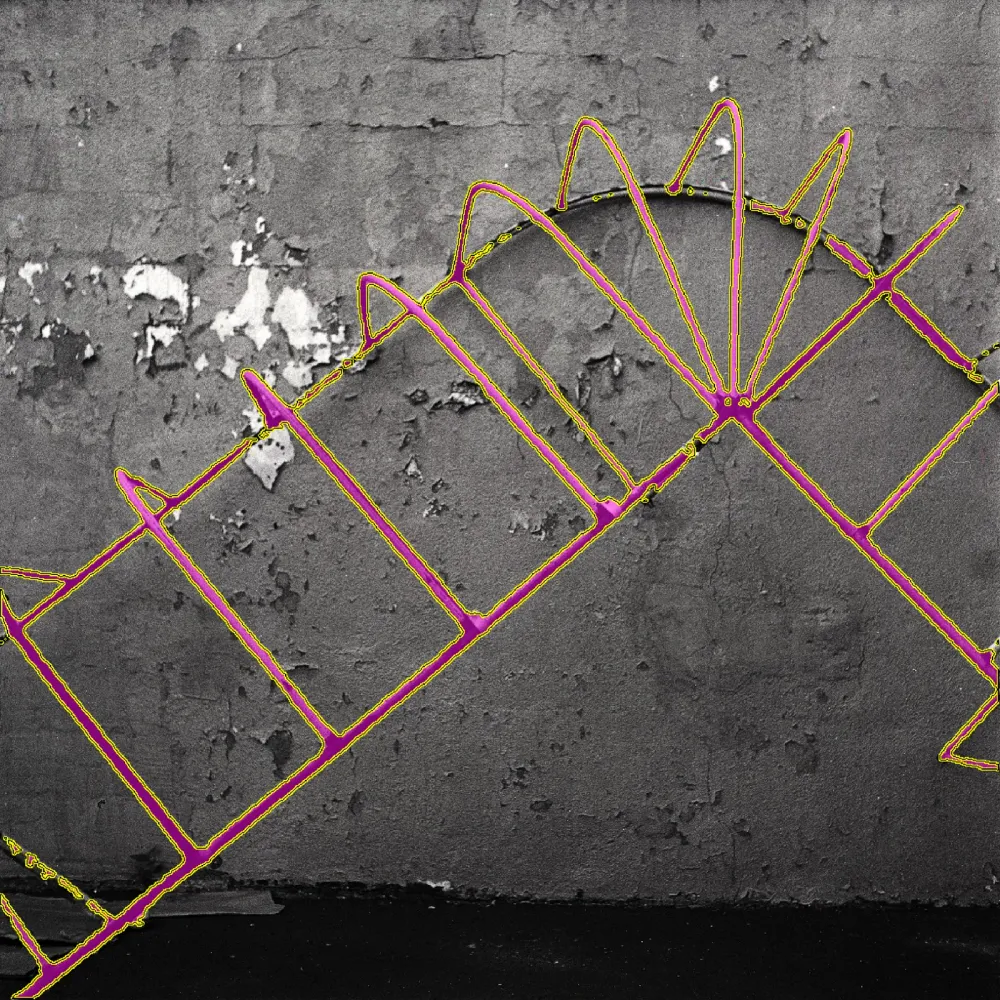
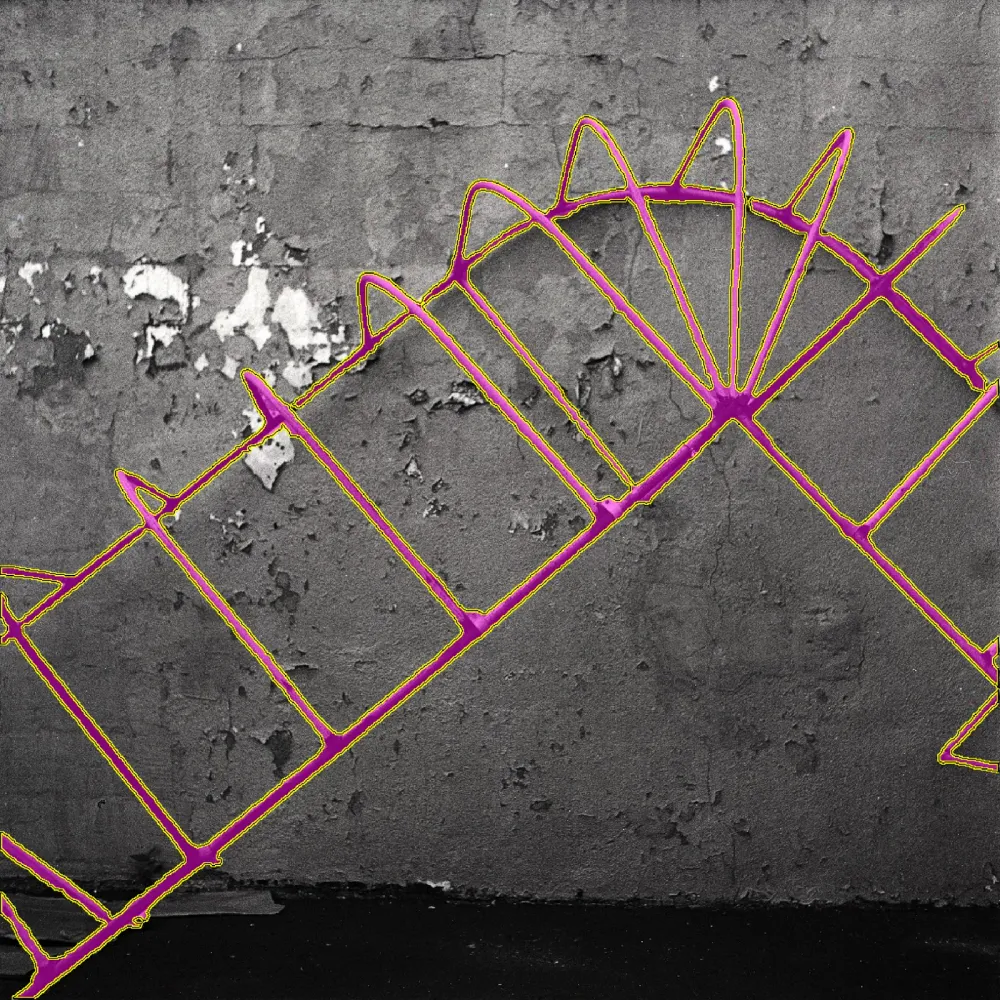
On objects with complex structure, HQ-SAM's masks follow the edges more closely in these examples.
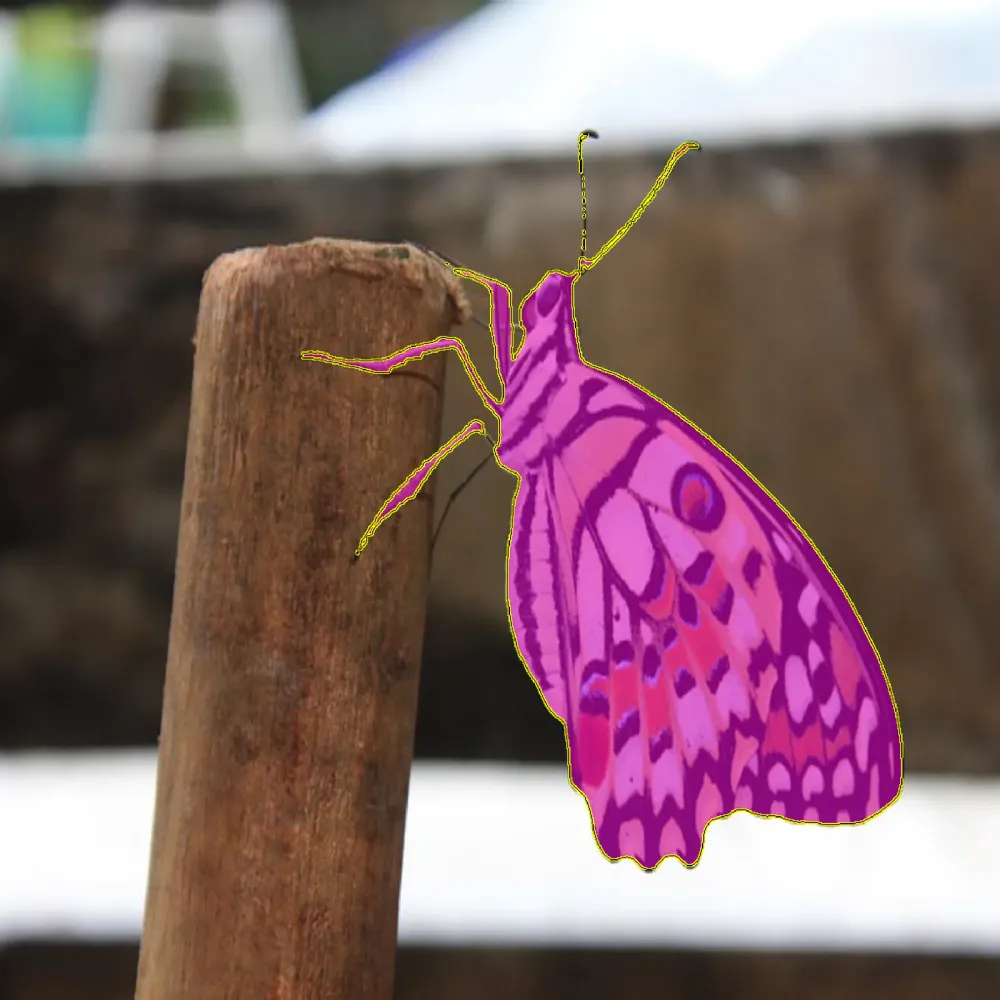
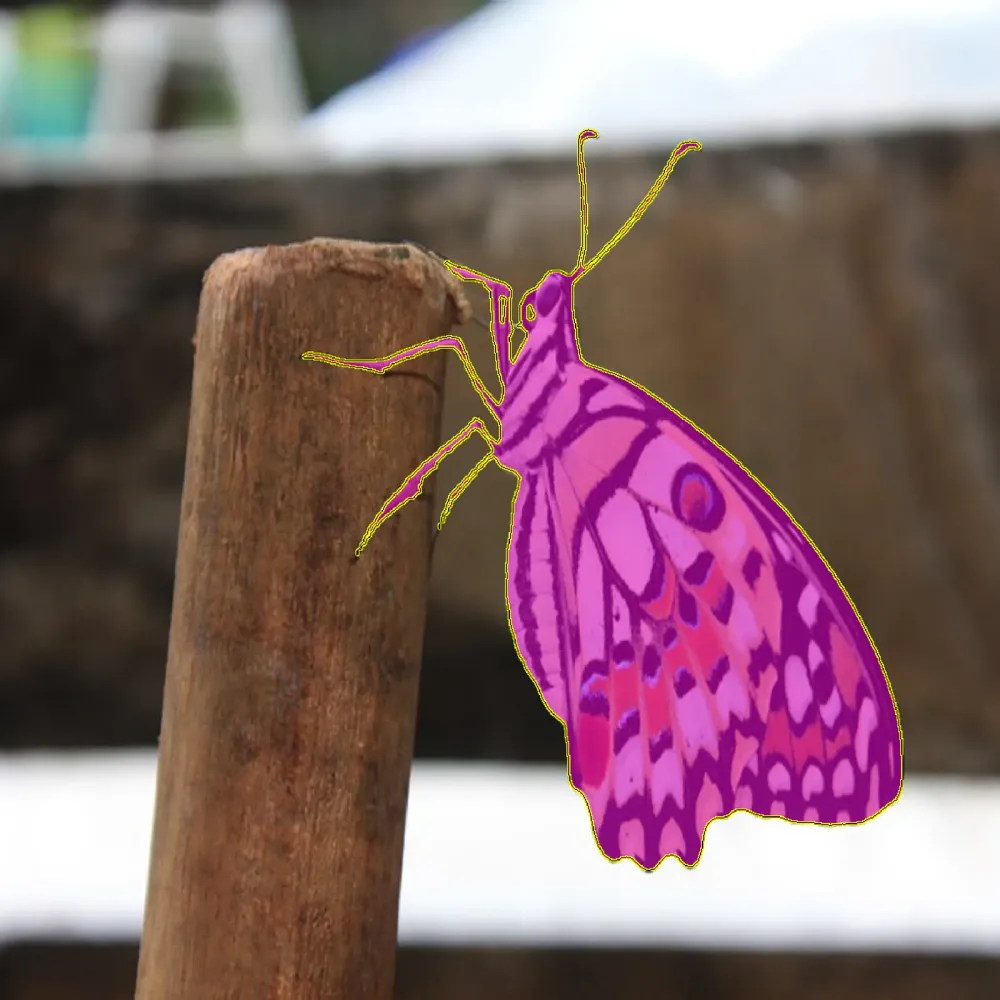
Here is the table with additional comparisons provided by authors. HQ-SAM is on the left, SAM is on the right.
When does HQ-SAM fail? Limitations
In the video tutorial above we found that HQ-SAM model can perform well in general but it still struggles to segment some objects precisely. Also, the model is very sensitive to the placement of the points
If the model does not work on your data as expected, check out this tutorial on how to Train custom interactive segmentation model (SmartTool) on your data in Supervisely. Customization can speed up manual annotation on your objects.
Conclusion
In this guide, we explained how to deploy interactive segmentation models (SAM and HQ-SAM) in Supervisely Platform and easily use them inside the image annotation toolbox to automatically segment objects of interest.
Frequently asked questions
What is HQ-SAM?
Segment Anything in High Quality (HQ-SAM) is an extension of the original Segment Anything Model that predicts more accurate object masks. It reuses the pre-trained SAM weights and adds only minimal parameters to SAM's mask decoder. It was released by researchers at ETH Zürich and HKUST.
How is HQ-SAM different from SAM?
SAM often lacks precision on objects with complex shapes and intricate structures. HQ-SAM was trained on a dataset of 44K fine-grained masks to fix this, and it produces more accurate masks for the same number of clicks.
Is HQ-SAM slower than SAM?
The authors say HQ-SAM adds only minimal parameters and computation to SAM and keeps its efficiency. They report training it in about 4 hours on 8 GPUs. Check the speed on your own hardware.
How do I use HQ-SAM for image annotation in Supervisely?
Run the HQ-SAM app on a GPU computer connected to your account, open the Smart Tool in the image labeling toolbox, draw a bounding box around the object and refine the mask with positive and negative clicks.
Does HQ-SAM always give a perfect mask?
No. It performs well in general but still struggles with some objects, and it is very sensitive to the placement of the points. If it does not work on your data, you can train a custom interactive segmentation model.
Can I use HQ-SAM for free?
You can try both SAM and HQ-SAM on your data in the free Supervisely Community Edition.