
Surgical Video Annotation With AI: 5 Tools in Supervisely
 Lisa UspenyevaUpdated
Five AI-assisted tools for labeling surgical video in one platform: box and polygon tracking, SmartTool masks, action tags and team review. See how each works.
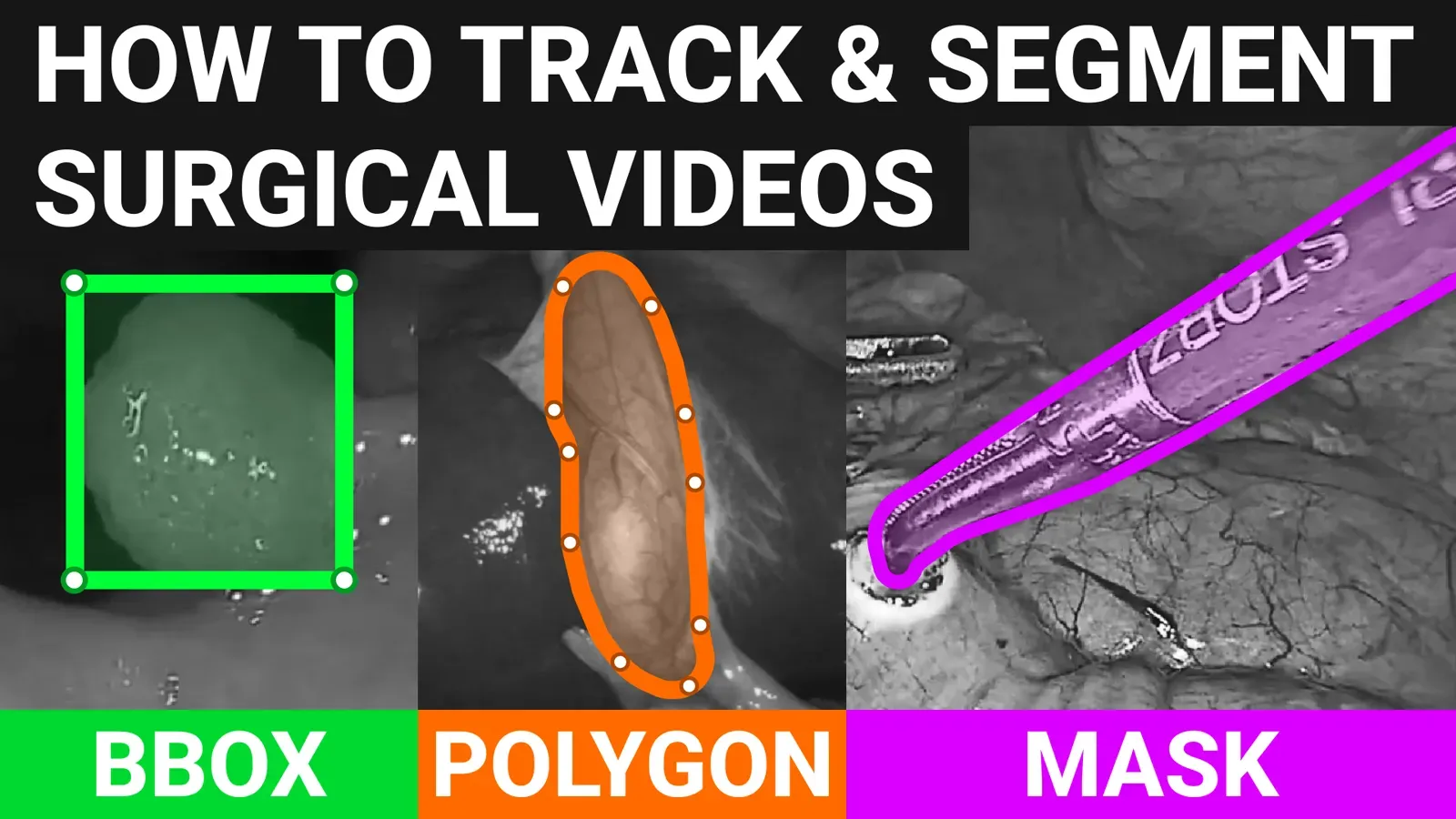
Surgical video annotation labels instruments, organs and actions on operation recordings. Supervisely has five AI-assisted tools for it: bounding box tracking, SmartTool masks, polygon tracking, tags for action recognition, and labeling jobs for teams. This guide shows each one on real surgical footage.
This post is not a comparison of competing products. It lists five tools inside one platform, and the table below shows which one to pick for which job.
What is surgical video annotation?
Surgical video annotation is labeling instruments, organs, tumors, polyps and surgical phases on operation recordings, so models for surgical data science, AI-assisted surgery and robotics can learn from them. Labels are boxes, masks, polygons and tags on video segments.
Which tool should you use for surgical video?
| Tool | What it labels | Model behind it | Use it for |
|---|---|---|---|
| Bounding box tracking | Boxes | MixFormer (CVPR 2022) | Instruments, polyps, tumors, bleeding areas |
| SmartTool masks | Pixel masks | Segment Anything, RITM, ClickSeg, EiSeg | Instrument and organ outlines |
| Polygon tracking | Polygons | TAP-Net | Organs, vessels, nerve bundles with complex contours |
| Segment tags | Tags on frames or ranges | None (manual) | Action recognition and surgical phases |
| Labeling jobs | Teams, roles, review | None | Many annotators, reviewers and domain experts |
Supervisely video tools are described in the video labeling toolbox and the docs. Medical volumes (CT, MRI) have their own tools, covered in the DICOM annotation guide.
Why is AI-assisted labeling important for surgical video?
The time of domain experts in medicine is valuable, and surgical video labeling takes a lot of it. Supervisely develops enterprise-grade computer vision tools that use AI to cut the manual work.
The platform supports images, videos and medical DICOM volumes, and it was designed with surgical data science and surgical intelligence use cases in mind, such as AI-assisted surgery and surgical robotics.
The video guide below demonstrates the model-assisted tools on real surgical videos.
How does AI bounding box tracking work on surgical video?
Model-assisted detection and tracking can raise the accuracy and efficiency of work on surgical video. The annotator puts a bounding box around a target object on one frame, then runs the tracking algorithm to find the object on the next frames.
On the backend there is MixFormer, introduced at CVPR 2022 as an end-to-end tracker. Its authors report 79.9% NP on LaSOT and 88.9% on TrackingNet for the large model. Supervisely integrates it as well as other models.
The model is class-agnostic. It tracks objects from different domains out of the box, without training or fine-tuning for your class.
For example, a multi-centre study describes colon polyp detection as a common problem. Here is the tool tracking such objects:
Bounding boxes can highlight the surgical field, instruments and anatomical structures such as tumors, polyps, bleeding areas, resections or organs.
At any moment the labeler can correct an auto-generated box and restart tracking from that frame. The new tracking result replaces the auto-generated objects on later frames.
Tracking surgical tools on laparoscopic videos is also an active research area (image credit, video credit):
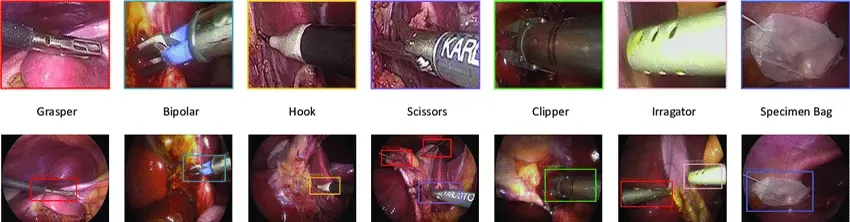 Different types of surgical instruments have to be tracked on laparoscopic videos
How do you segment and track surgical instruments with masks?
You can label masks by hand with the brush or pen tools, and the video toolkit supports them. But segmenting an object over thousands of frames by hand is slow. For that, Supervisely has the SmartTool for model-assisted segmentation and tracking.
Interactive segmentation models integrated into the platform include:
- Segment Anything model (SAM) from Meta AI. Its paper reports a dataset of over 1 billion masks on 11 million images.
- RITM from Samsung AI.
- ClickSeg from Alibaba.
- EiSeg from PaddlePaddle.
New models are added as they appear in the machine learning community. For newer options see Segment Anything 2, and read how SmartTool works in SmartTool annotation.
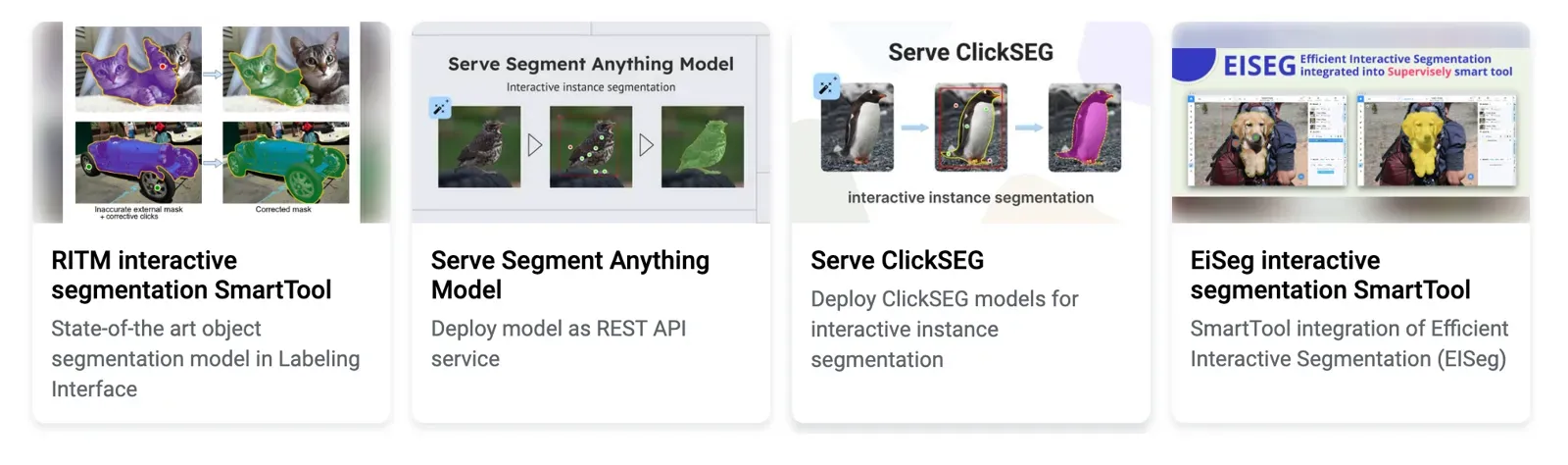 SOTA interactive segmentation models in Supervisely
Take segmenting instruments used during an operation. The annotator interacts with the model in real time and gives 🟢 positive and 🔴 negative points to correct its predictions.
See how to segment and track objects on video with the interactive tool:
SmartTool is class-agnostic and can segment any object out of the box. Sometimes you need pixel-perfect masks of a specific object with as few clicks as possible. Then you can train or fine-tune the model. The Supervisely Ecosystem has an app to train a model on custom data.

Several public cataract datasets and papers exist for this task.
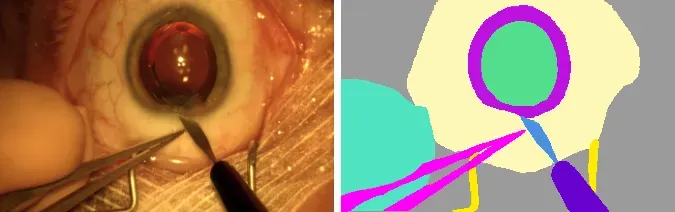 Segmentation example from cataract datasets
How do you track polygons on surgical video?
Use polygons for objects with complex contours or specific areas of the surgical field, such as intricate blood vessels, nerve bundles, or regions of an organ that boxes can't describe.
Supervisely supports polygon tools for manual and automatic labeling and tracking. The TAP-Net point tracking model from Google DeepMind is integrated and works as the backend for tracking polygons on video.
After you draw a polygon on one frame, interpolation or tracking creates the objects on the next frames. Tracking updates the position of each polygon point on every frame. If the model makes an error, fix the polygon on that frame and restart tracking from there. The new objects replace the auto-generated ones on later frames.
Semantic segmentation with polygons of organs and tissues on laparoscopic images and videos is a popular task in surgical AI. In this example the classes are fat (orange), liver (red), gallbladder (green), instrument (purple), and other (blue).
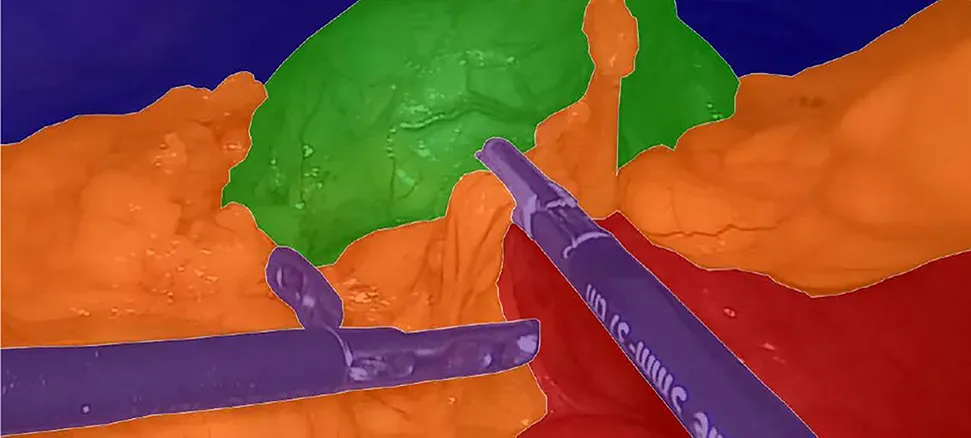 Laparoscopic image overlayed with its semantic segmentation annotations
How do you label actions and phases in surgical video?
Tags and attributes on video segments or whole videos build the datasets for classification and action recognition models. Such models can identify events or stages of an operation, for example tissue resection, a manipulation with scissors, or cutting a polyp. The goal is to classify these actions to understand surgical technique.
In the next example a tag marks the video segment where steam appears on the frames during a full (Roux-En-Y) gastric bypass operation. By default a frame-based tag runs from the current frame to the end of the video, and you end the range at the frame you choose, as the docs describe.
How do teams annotate surgical video together?
The platform lets you define user permissions for members with different roles and expertise: annotators, reviewers and managers, domain experts and data scientists.
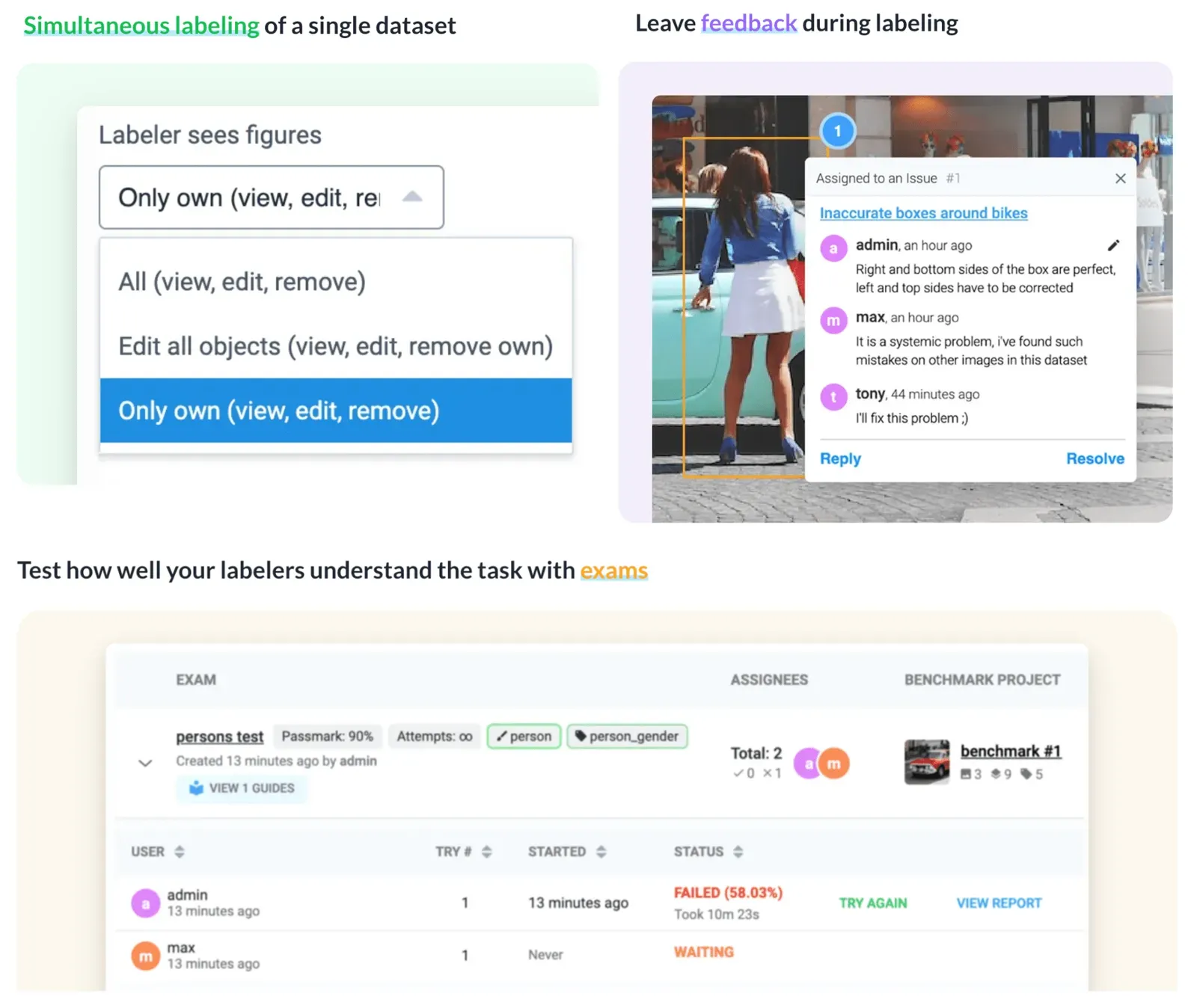 Some of the collaboration features in Supervisely platform
With labeling jobs and managed access to annotated data, a company can run the workflow in one environment instead of maintaining several in-house or commercial tools. See labeling jobs and the user collaboration page. The full computer vision course covers collaboration in more detail.
Can you keep surgical video private and on-premise?
Surgical video is sensitive, so deployment matters. The key points, as stated on the site:
- Supervisely Enterprise Edition is the on-premise version of the platform. You can install it on your own bare-metal server or cloud instance, and it does not need an internet connection.
- The video toolbox labels hours-long videos without cutting them into images, in the browser, with a multi-track timeline, built-in tracking and segment tagging.
- The platform lists HIPAA among the standards it helps you meet, with encryption in transfer and at rest, anonymization, activity monitoring, access alerts and vulnerability scanning. See the security page.
- It deploys with Docker and works in systems such as Kubernetes. See more about on-premise deployment.
- Everything is customizable, from import and export to custom labeling interfaces. Use the developer portal and the ecosystem of apps to build your own apps.
Conclusion
Precise object tracking and segmentation on video is a building block for robotic surgery research and for surgical data science. With boxes, masks and polygons, AI-assisted SmartTool and tracking, tags for actions, and labeling jobs for teams, surgical videos can be annotated at scale in one platform. For CT and MRI, continue with the DICOM annotation guide.
Frequently asked questions
What is surgical video annotation?
Surgical video annotation is labeling instruments, organs, tumors, polyps and surgical phases on operation recordings, so models for surgical data science, AI-assisted surgery and robotics can learn from them. Labels are boxes, masks, polygons and tags on video segments.
Which AI tools in Supervisely help label surgical video?
This guide covers five. Bounding box tracking with MixFormer, mask segmentation and tracking with SmartTool models such as Segment Anything, polygon tracking with TAP-Net, tags on video segments for action recognition, and labeling jobs for team collaboration.
Do I need to train a model to track instruments or polyps?
No. MixFormer tracking and the SmartTool segmentation models are class-agnostic, so they work on new objects out of the box. If you need more accurate masks for a specific object, you can fine-tune a model such as RITM with the training app from the Supervisely Ecosystem.
Can annotators correct the AI results?
Yes. Tracking starts from a box, mask or polygon the annotator draws by hand. At any frame the annotator can correct the generated figure and restart tracking from there, and the new result replaces the auto-generated figures on later frames.
Can I keep surgical videos on my own servers?
Yes. Supervisely Enterprise Edition is the on-premise version of the platform, and the site states it can work inside your private network without an internet connection. Supervisely also lists HIPAA among the standards it helps you meet.
What is the difference between video and DICOM annotation?
Surgical video is an RGB recording, so you label it with video tools and trackers. CT and MRI scans are DICOM volumes and need windowing, three planes and 3D masks. See the DICOM annotation guide for that workflow.